The short answer: one question settles it — do you need to cut clear acrylic? If yes, the P2S, because no diode laser on earth cuts transparent acrylic. If no, the S1 does nearly everything the P2S does for a lot less money, and it is smaller and simpler to own.
This is the upgrade decision most people face after a year with a diode machine. Both are xTool, both are enclosed Class 1, both run xTool Studio and LightBurn. The difference is the light they emit.
| xTool S1 40W | xTool P2S 55W CO2 | |
|---|---|---|
| Laser type | 40 W blue diode at 455 nm | 55 W CO2 at 10,600 nm |
| Work area | 498 × 319 mm | 600 × 308 mm |
| Clear acrylic | Cannot cut or engrave it | Cuts and engraves cleanly |
| Coloured / dark acrylic | Yes, to about 8 mm | Yes, to about 8 mm |
| Plywood cutting | 6 mm single pass | 10–12 mm |
| Glass | No | Frosted engraving, yes |
| Coated metal | Yes | Yes |
| Bare metal | No | No |
| Consumable | Diode module, long life | Glass CO2 tube, replaceable |
| Cameras | Yes | Dual |
| Running cost | Low — no chiller, no tube | Higher — tube life and cooling |
Clear acrylic is the whole argument
A blue beam passes through transparent acrylic almost unchanged. There is nothing for it to absorb, so there is no cut. People try masking the sheet, spraying the back, scribing a surface — all of it produces a worse result than simply using the right wavelength.
If your product list has cake toppers, sign faces, award blanks, lightbox panels or anything the customer expects to see through, you need CO2. That is not a preference; it is physics.
What you give up moving to CO2
- A consumable. The glass tube has a service life and will eventually need replacing. Budget for it the way you budget for printer heads.
- Cooling and space. CO2 machines run warmer and want more airflow. The P2S handles this better than a bare industrial unit, but it is still a bigger thing in the room.
- Fine detail on wood. A 40 W diode has a smaller spot than most CO2 optics, so very fine photo engraving on wood can actually look better from the diode.
Who should buy which
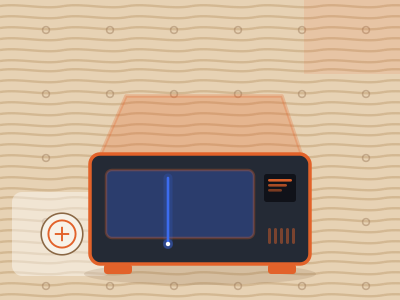
xTool S1 40W
Your work is wood, leather, slate, dark acrylic and coated metal. That covers most of the personalised gift market. The S1 costs less to buy, less to run, and takes less space — and 40 W is enough power for almost everything in that list.
Check price on Amazon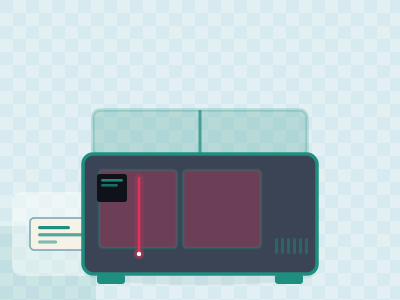
xTool P2S 55W CO2
You are selling, and customers keep asking for clear acrylic or thicker wood. The 600 mm bed takes a 2 ft blank, the dual cameras place a design on an expensive blank first time, and CO2 removes the one material ceiling a diode shop keeps hitting.
Check price on AmazonQuestions people also ask
Is a CO2 laser better than a 40 W diode?
Better at different things. CO2 cuts clear acrylic, thicker wood and engraves glass; a 40 W diode is cheaper to buy and run and has a finer spot for detailed engraving on wood.
Can the xTool S1 cut clear acrylic at all?
No. Clear acrylic is effectively transparent at 455 nm. The beam passes through without depositing enough energy to cut. Dark and opaque acrylic are fine.
How long does a CO2 tube last?
Manufacturers usually quote a service life in operating hours rather than years. Treat it as a consumable and check the replacement cost for your specific machine before buying.
Does the P2S work with LightBurn?
Yes, as well as with xTool Studio. Note that this is not true of every machine in the xTool range.