The short answer: the F1 Ultra is the machine for a mixed shop that engraves metal and wood under one roof. The F2 Ultra is a metal production tool — 60 W MOPA, colour marking on stainless, and it cuts thin metal outright. If colour marking is not on your price list, the F1 Ultra is the sensible buy.
Both are galvo machines, which means a mirror steers the beam instead of a gantry moving a head. That is why they engrave a tray of dog tags in the time a diode takes to do one.
| xTool F1 Ultra | xTool F2 Ultra | |
|---|---|---|
| Laser sources | 20 W fiber + 20 W diode | 60 W MOPA fiber + 40 W diode |
| Fiber type | Q-switched | MOPA (adjustable pulse) |
| Colour marking on stainless | No | Yes — this is the headline feature |
| Cuts metal | Very thin only | Around 2 mm brass / stainless / aluminium |
| Work area | 220 × 220 mm | 220 × 220 mm (220 × 500 mm with conveyor) |
| Cameras | Smart camera | Dual 48 MP |
| 3D relief on metal | Yes | Yes |
| LightBurn | Supported (basic workflow) | Supported from LightBurn 2.2.0 |
| Software | xTool Studio / LightBurn | xTool Studio / Atomm / LightBurn 2.2+ |
| Best suited to | Mixed product lines | Metal production and batch work |
What MOPA actually buys you
A Q-switched fiber laser fires pulses of a fixed length. A MOPA source lets you set the pulse duration, and that control is what produces colour on stainless steel — different pulse settings grow different oxide thicknesses, and oxide thickness is what the colour is. You cannot add this to a Q-switched machine later.
So the real question is commercial: can you charge more for colour? For engraved knives, branded flasks and anniversary gifts, often yes. For plain black marks on tags and tools, the colour capability is money spent on something the customer never sees.
LightBurn: what changed in 2026
Who should buy which
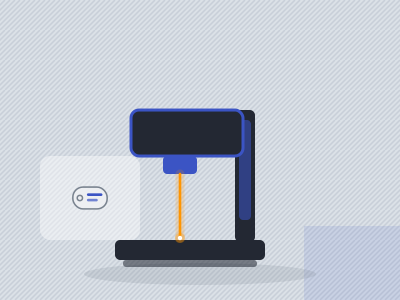
xTool F1 Ultra
You sell both wood goods and metal goods. The diode head handles basswood ornaments and leather patches; the fiber head handles stainless tags and anodised parts. One bench, one machine, LightBurn throughout. For most small shops this is the better value.
Check price on Amazon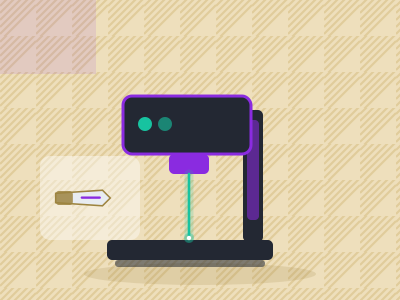
xTool F2 Ultra
Metal is the business, volume is real, and colour marking is something you can invoice for. The conveyor option turns it into a short production line, and cutting 2 mm stock in-house removes a supplier from the process.
Check price on AmazonQuestions people also ask
What is the difference between MOPA and a normal fiber laser?
A MOPA source lets you adjust pulse duration. That control produces colour marking on stainless, cleaner marks on plastics and less edge melting. A Q-switched fiber has a fixed pulse and cannot do colour.
Does the xTool F2 Ultra work with LightBurn?
Yes, from LightBurn 2.2.0 according to xTool's October 2026 Q&A; older LightBurn versions do not work with it. The F1 Ultra also supports LightBurn for its basic workflow.
Can a fiber laser engrave wood?
Badly. At 1064 nm wood mostly burns rather than engraving cleanly. That is why both of these machines pair a fiber source with a diode source.
Is 20 W of fiber enough for tumblers and knives?
Yes for marking, which is what most personalisation is. Deep engraving and metal cutting are where 60 W starts to matter.